VR builds still travel by message thread and USB cable.
APKs in chat
Builds get passed around by message and installed by hand, one headset and one cable at a time.
Nobody knows what's installed
Is the museum on 1.3.2 or 1.4.0? Too often you find out when a visitor finds the bug.
Crashes leave no trace
By the time someone tells you the app closed, the logs on the headset are long gone.
Two parts, one pipeline.
Orbit Port runs the studio side in the browser. Orbit XR runs on each station PC next to the headsets. Link a station once with a code from Orbit Port, and from then on they stay in touch, so you don't have to drive to the venue.
- APK builds
- Groups and access
- Crash reports
- Mac or Windows PC
- USB or Wi-Fi to headsets
- Meta Quest and PICO
-
1
Upload
Drop an APK into Orbit Port. Package ID and platform are checked, and the build waits as a draft until you share it.
-
2
Distribute
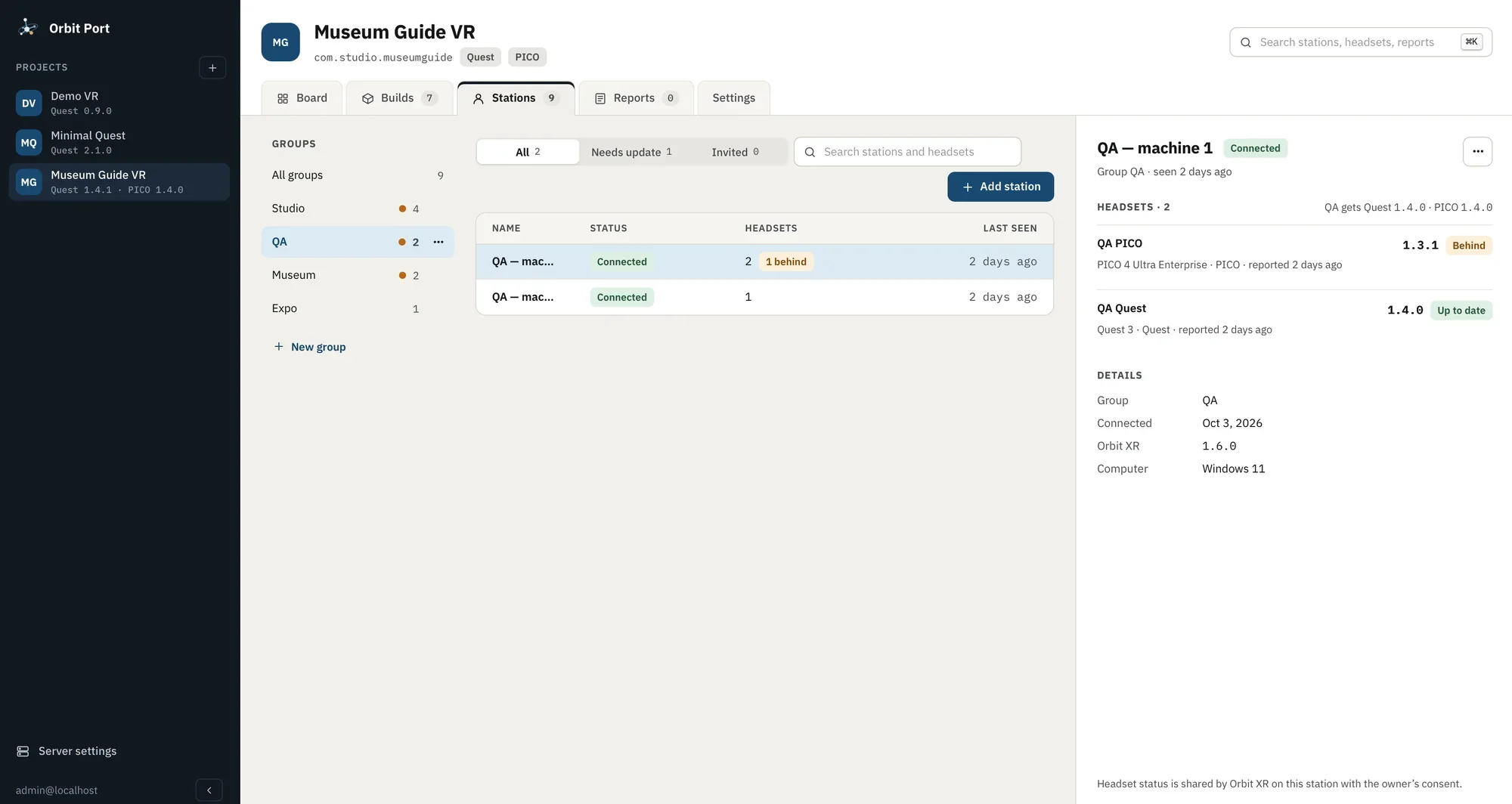
Tick the groups that should get it: Studio, QA, Museum, Expo. Each station sees the new build and installs it in one click.
-
3
Get reports
Stations report which version every headset runs. When the app crashes, the session, logcat and native trace go straight to the studio.
The two parts of Orbit Port
Decide who gets which build.
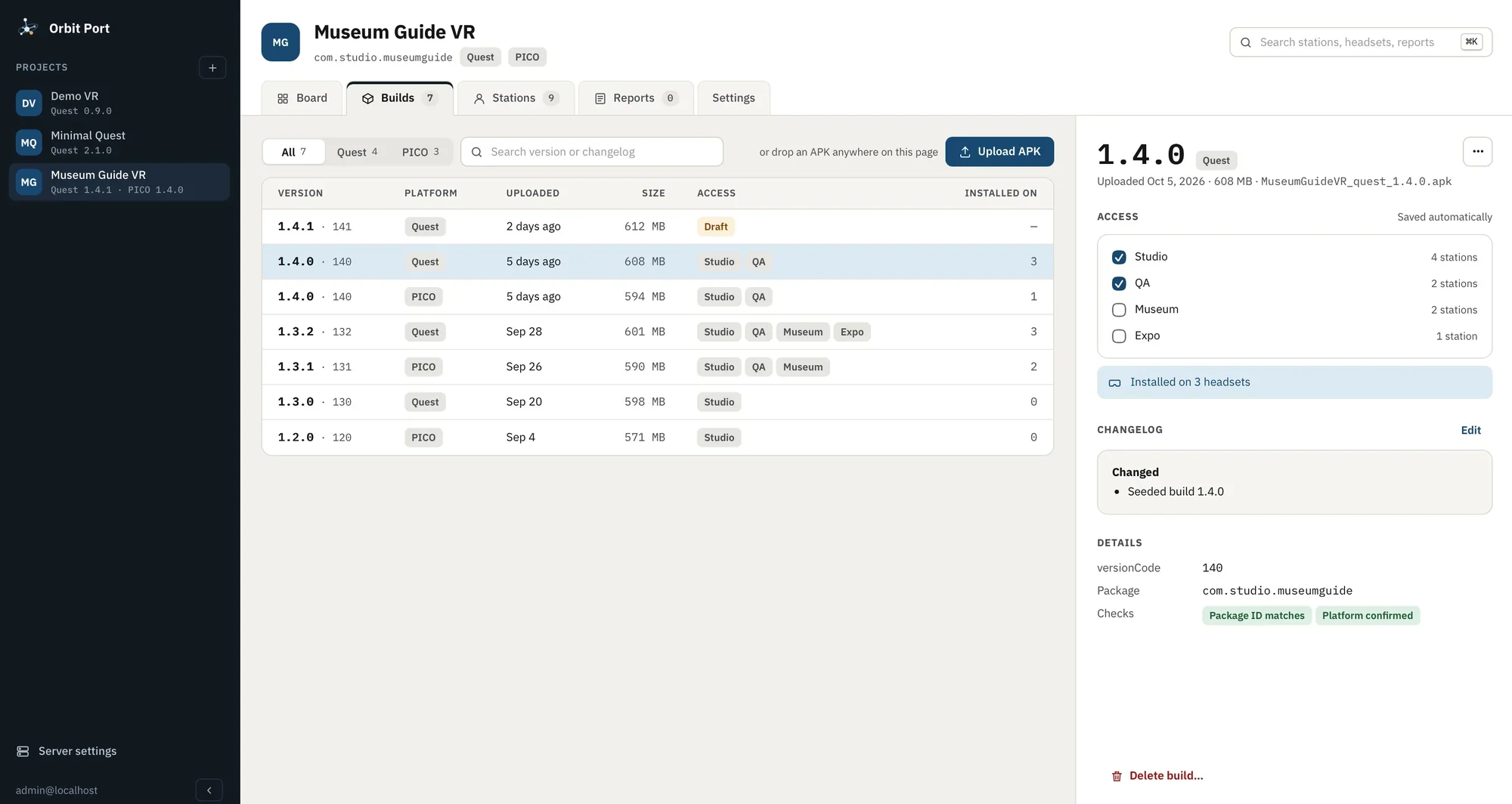
Every build lives in one list with its platform, size and where it's installed. Give a group access with a checkbox; take it away just as fast. Changelogs travel with the build.
Plug in a headset. It's already up to date.
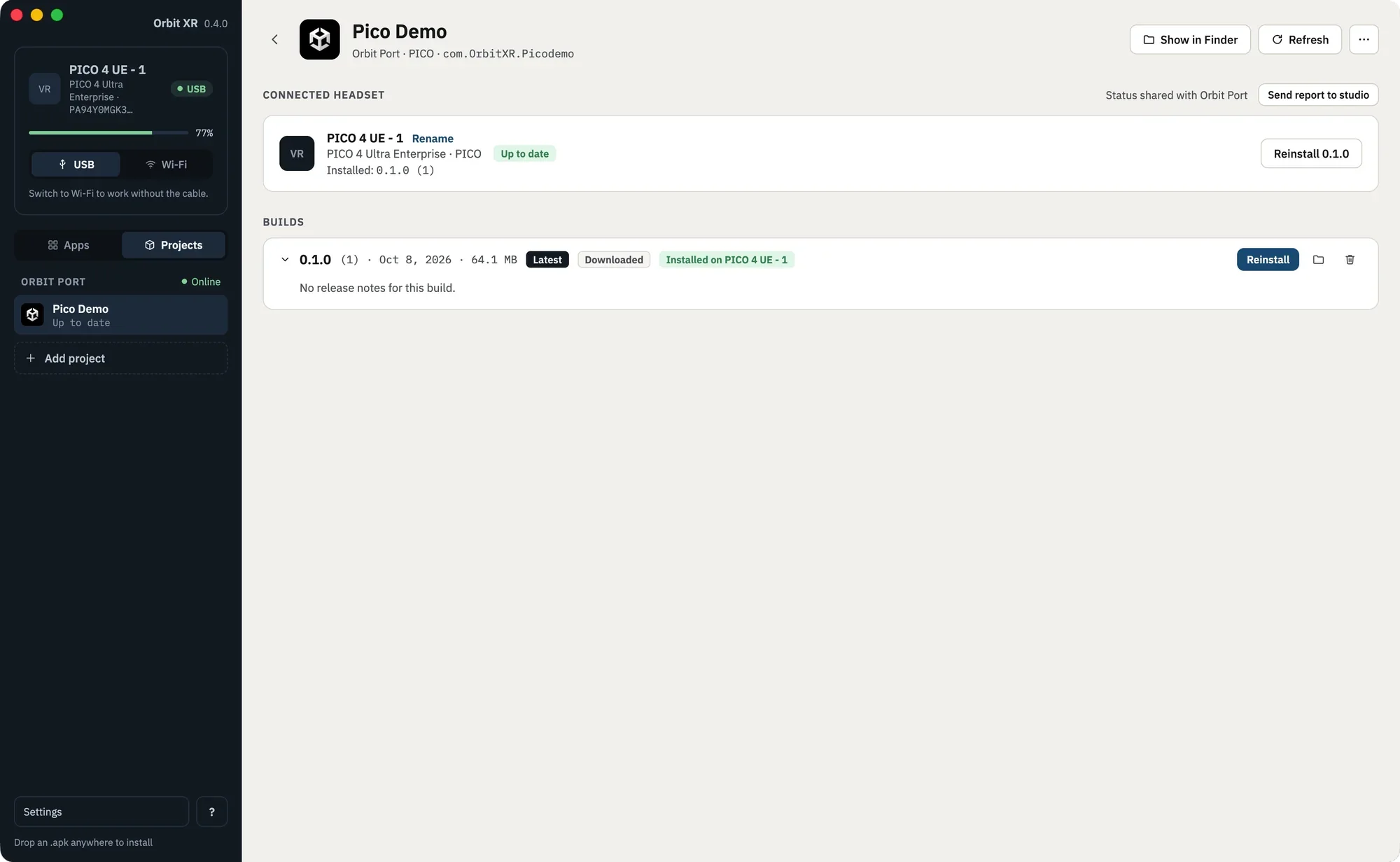
The station shows the studio's projects next to the connected headsets. New build? Install it in one click, over USB or Wi-Fi. No terminal, no adb commands.
Orbit XR also works on its own, for free. Get Orbit XR
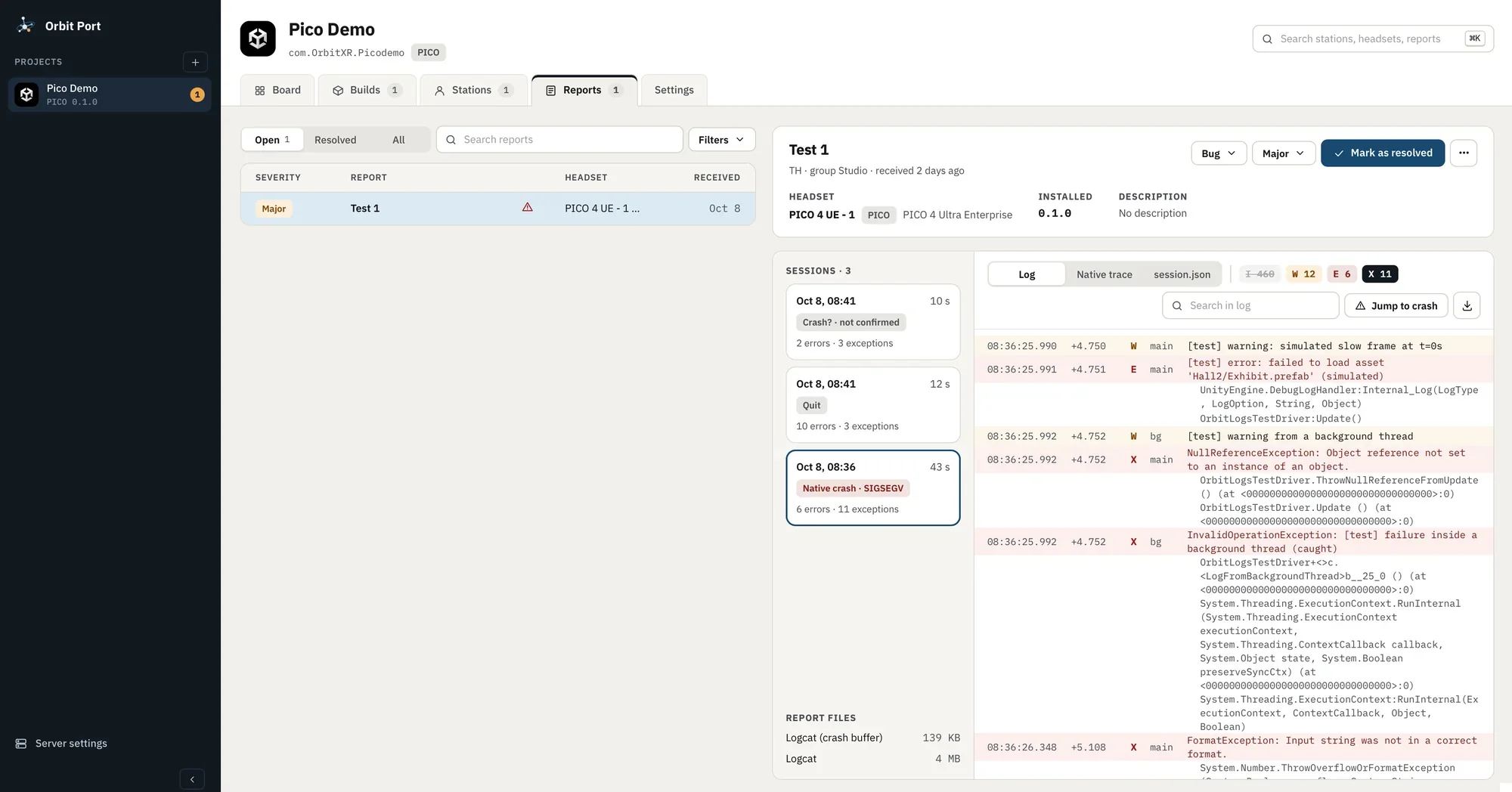
A crash on the expo floor becomes a report in the studio.
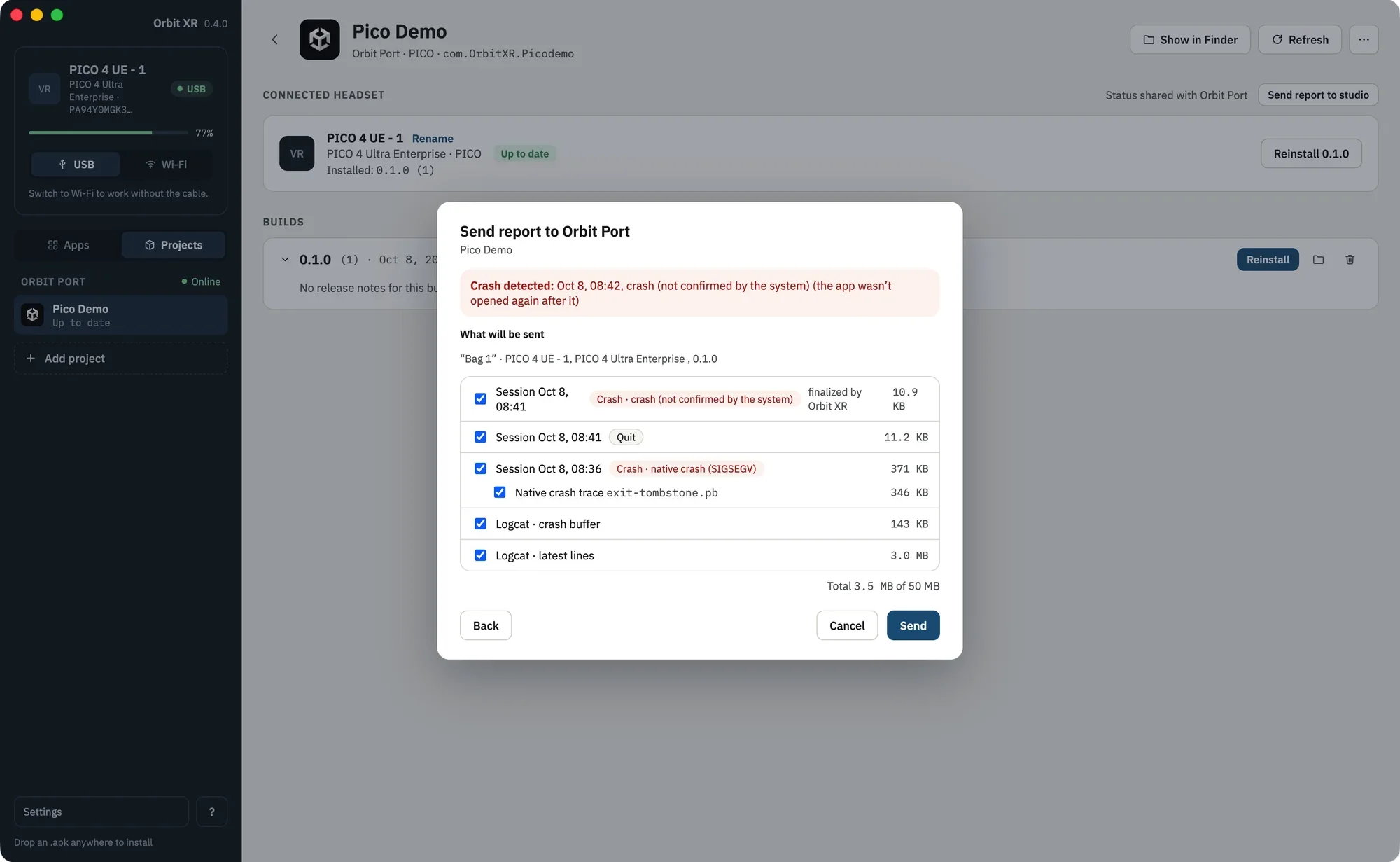
Orbit XR notices when the app dies, even a native crash the system never confirmed. It gathers what you need and lets the person at the station send it with one button. If the headset was running on its own when it crashed, the traces wait on it: Orbit XR picks them up the next time it's connected.
Built for how VR teams actually ship.
Release board
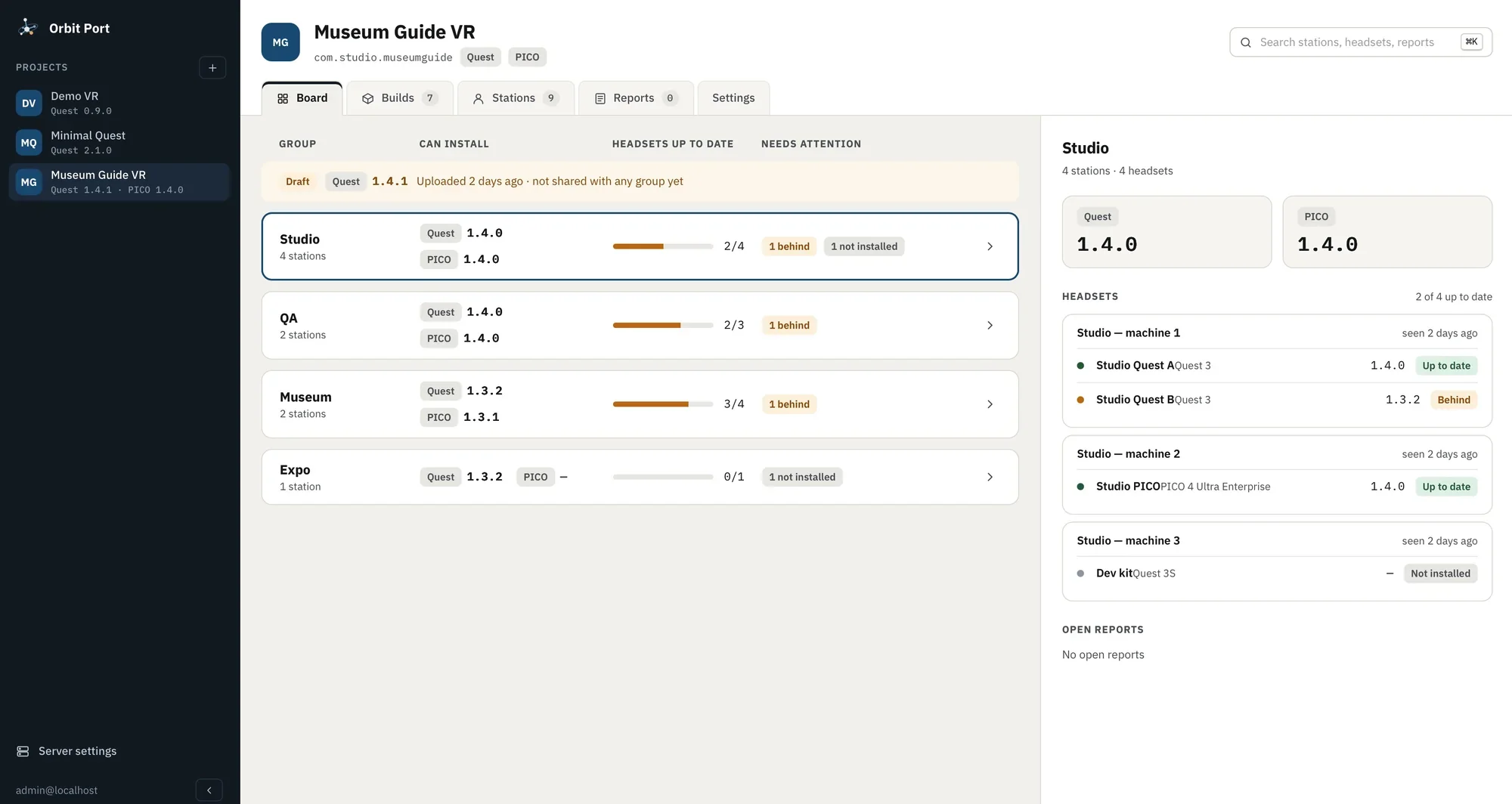
Every group, the version it's approved for, and how many of its headsets are actually on it.
Access by group
Studio, QA, Museum, Expo, or whatever your venues are called. Drafts stay private until you share them.
Checked on upload
Package ID and platform verified for every APK. Quest and PICO builds tracked side by side.
Stations and headsets
Each PC reports its headsets, their versions and when it was last seen. Behind or missing is flagged.
Crash reports with context
Sessions with error and exception counts, native crash detection, the crash buffer and full logcat.
Consent at the station
Headset status is shared only with the station owner's consent, and reports are sent by a person, not silently.
Read the summary, not the whole log.
I'm building crash summaries on Claude for the hosted version of Orbit Port. Each crash report will arrive with a plain-language summary: what failed, where in your code, and which builds and headsets are affected.
Summaries will be optional: a report goes to the Claude API only when you turn them on. The on-premises version stays fully offline, without them.
Pico Demo 0.1.0 crashed on the headset “PICO 4 UE - 1”, 43 seconds into the session. A NullReferenceException in ThrowNullReferenceFromUpdate came first; a native crash (SIGSEGV) followed.
Seen in 1 of 3 sessions. No other headsets on this build have reported it.
Run it your way.
Hosted
Available nowHulka Labs runs the server, you upload builds. Stations connect over the internet; all they need is Orbit XR.
On-premises
Coming soonRun Orbit Port on a machine in your own network. No internet and no cloud: builds and logs never leave the building. Made for museums, exhibitions and secure sites.
For teams with headsets in more than one room.
VR studios
Ship to clients and testers without sending APKs by hand.
Museums and exhibitions
Keep every installation on the right version, season after season.
Training and education
A classroom of headsets, updated before the lesson starts.
QA teams
Know which build each tester ran, and get the logs when it breaks.
Tested on PICO 4 Ultra Enterprise and Meta Quest 2. Other Quest models and Android headsets work with basic support.
macOS 13 or newer on Apple Silicon. Windows 10 and 11, x64.
Orbit Port is in private beta.
I'm onboarding studios one at a time, so every team gets set up properly. Tell me what you build and how many headsets you run.