

Wallclock
by Hulka Labs
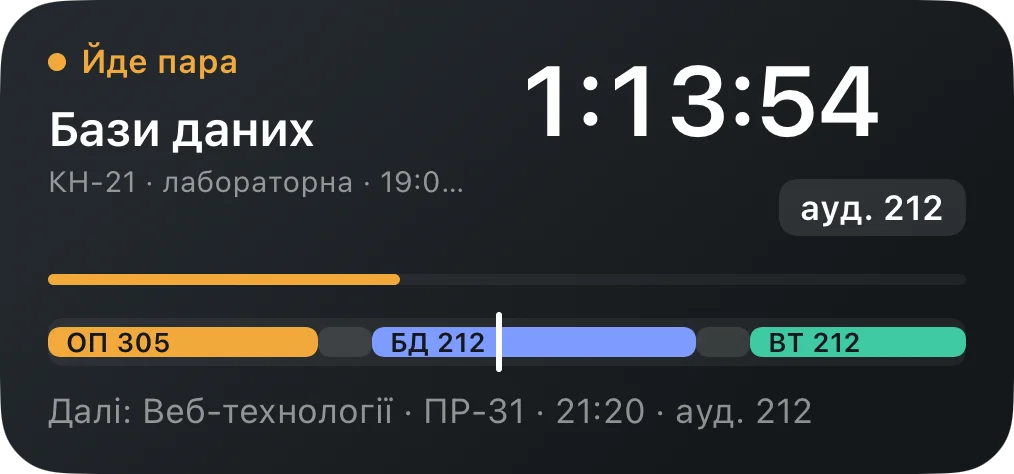
A light, fast app for teachers with a home screen widget — always know which class is on, how much time is left, and what's next.
Ukrainian interface
Screenshots
What it does
- Home screen widget — the current or next class, room, time remaining, and progress for the class and the whole day, no need to open the app.
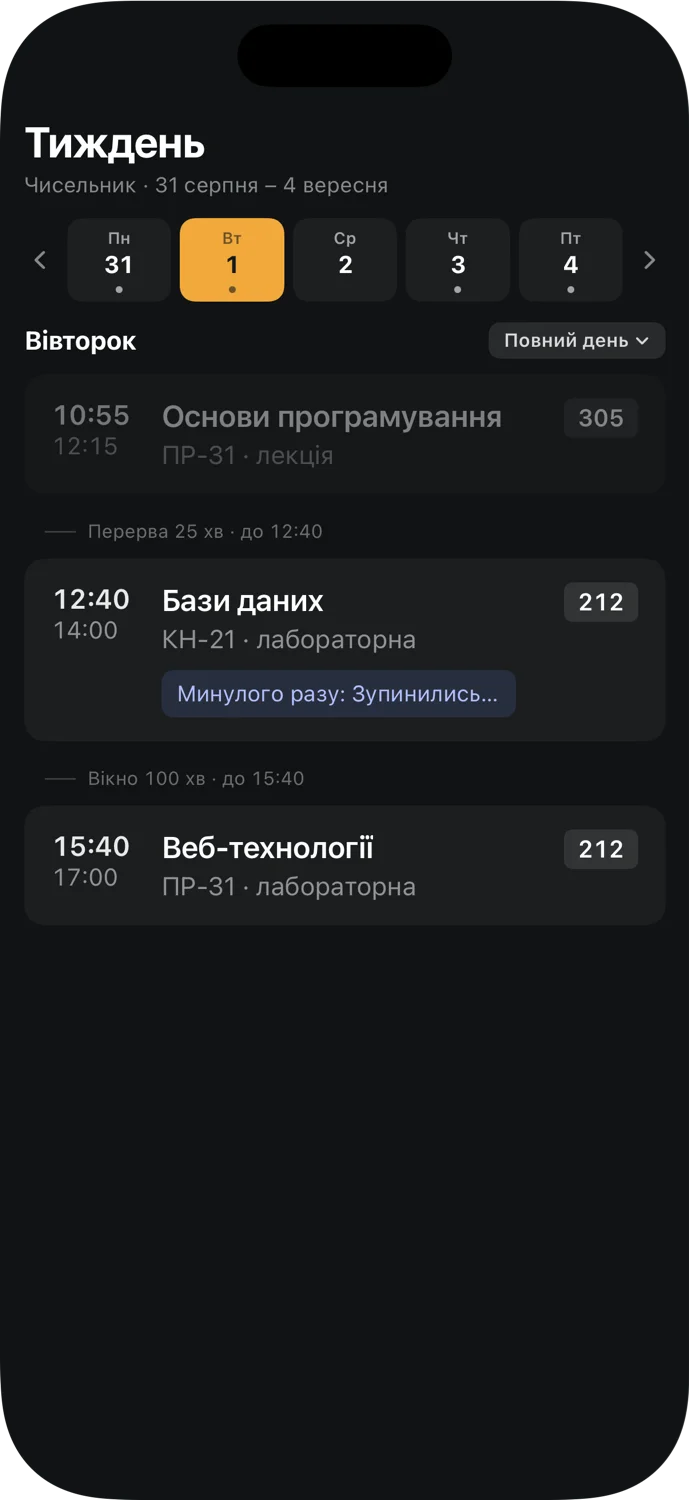
- Week at a glance — the day's classes with time, room, and live progress for the current one; swipe or tap arrows to move between weeks.
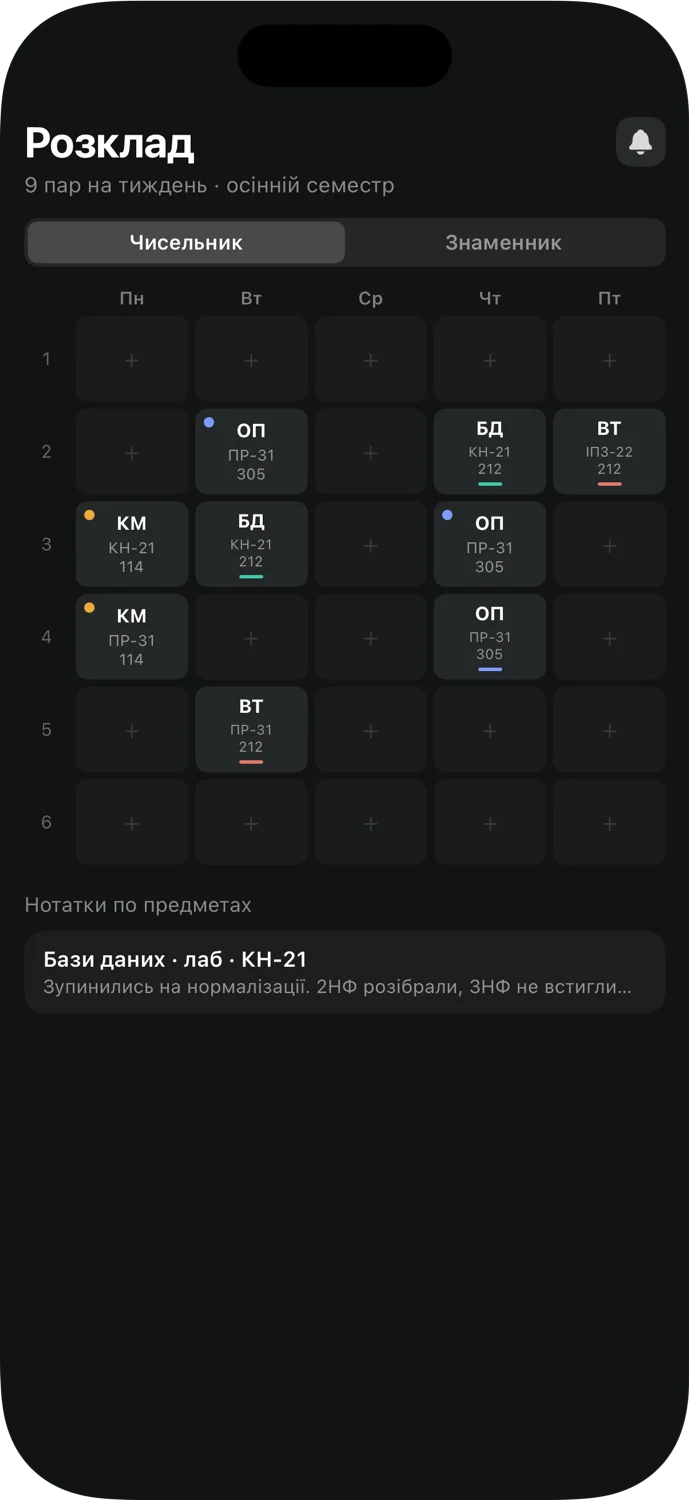
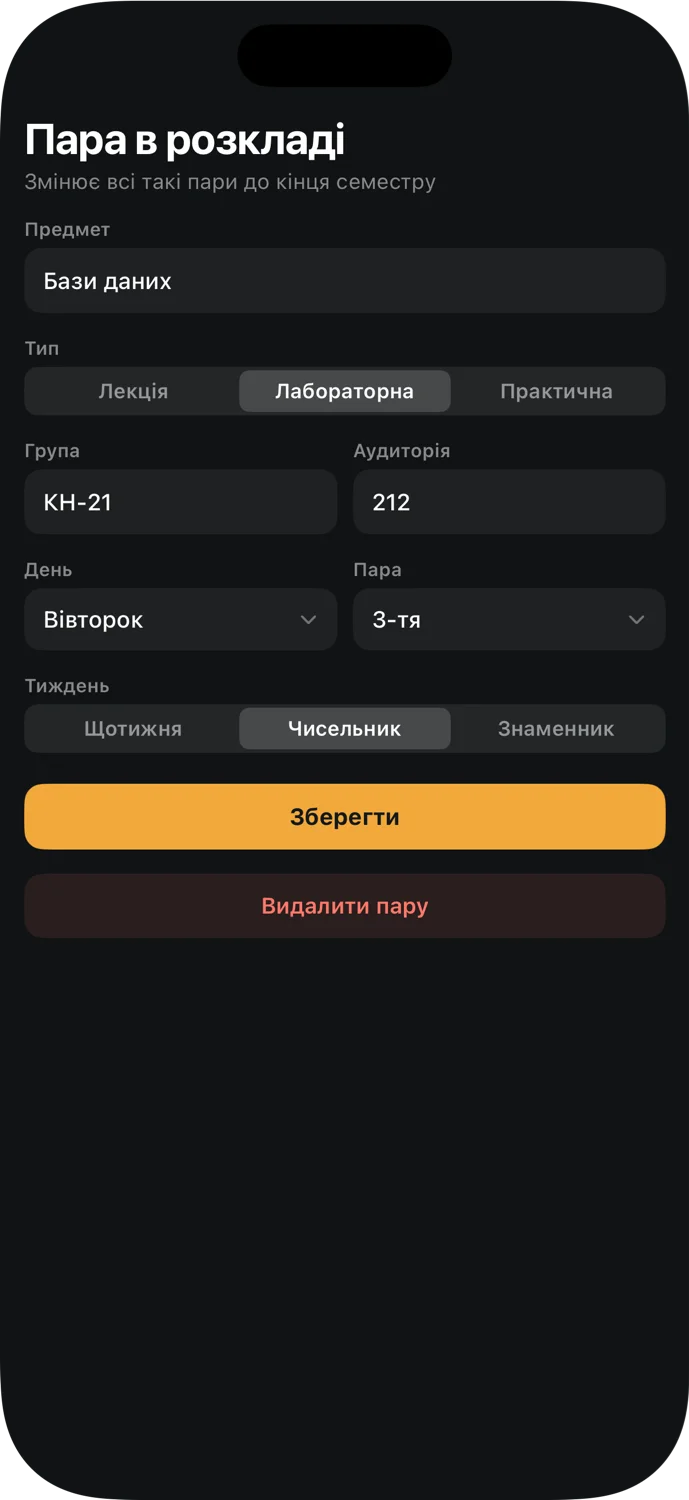
- Full schedule grid — every class in the semester at once, split by odd/even week, laid out by weekday and period number.
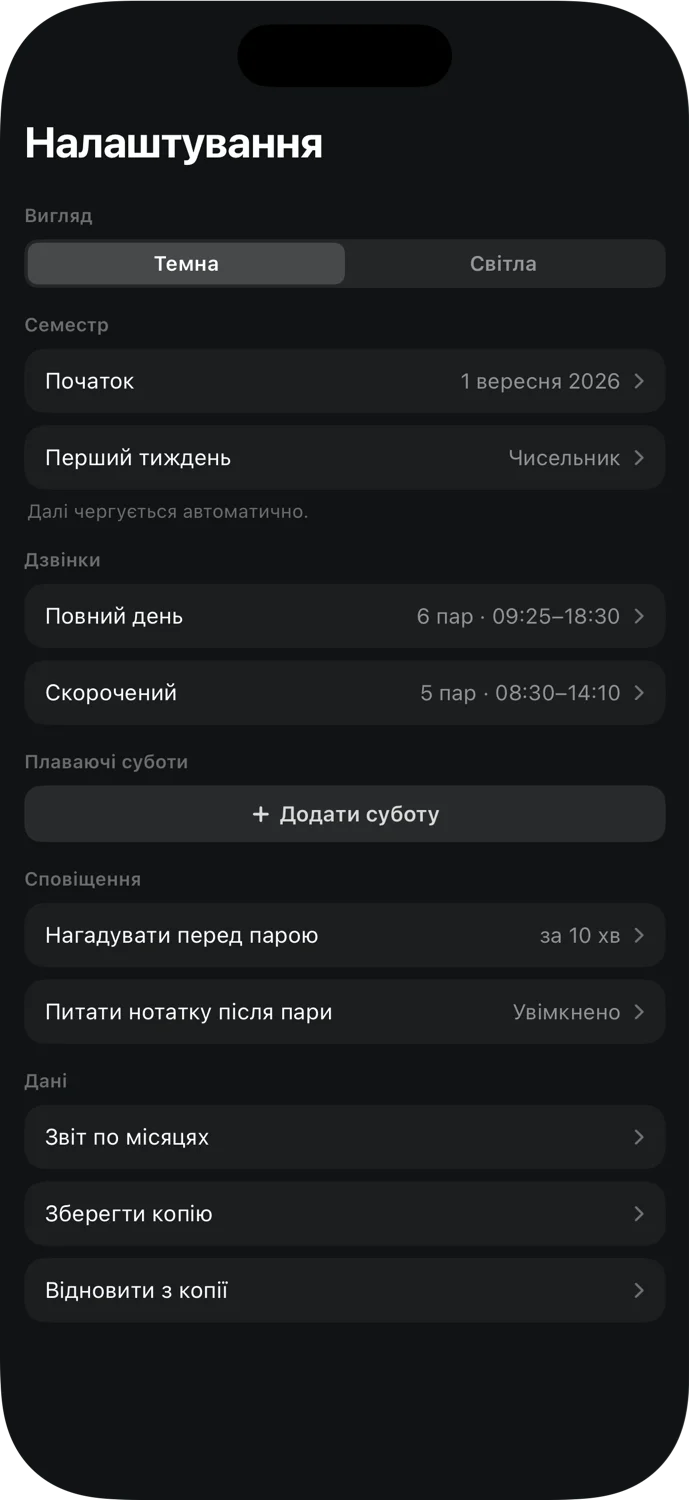
- Odd/even weeks handled automatically — set the semester start date and the parity of the first week once, and it alternates on its own from there.
- "Where we left off" notes — a note per subject that carries over between weeks; the pre-class reminder picks it up automatically.
- Floating Saturdays — for a working Saturday that follows another weekday's schedule, just say which one, once.
- Cancel a single class — remove one class on one date with a tap, without touching the rest of the schedule.
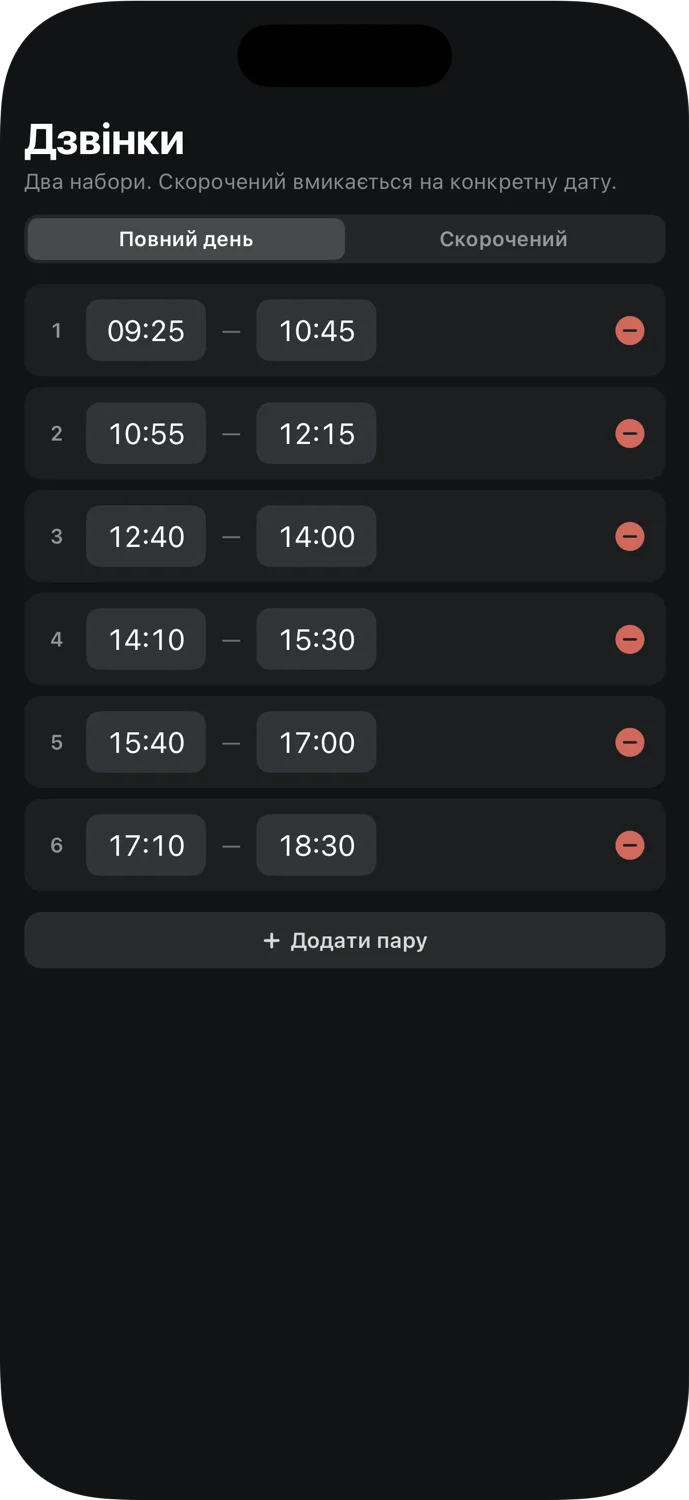
- Flexible bell schedule — full-length and shortened days, with both a quick view and a full time editor.
- Monthly report — how many classes were taught for each group in a given month; subgroups are counted together with their base group.
- Notifications — a reminder before class (only when there's a note for it), and a prompt for a note right after class ends.
- Backup — the whole schedule as one file, save and restore in a couple of taps.
- Light and dark theme — switch in settings.
- Fully local — no account, no internet: the schedule lives only on your phone.